
There is a quiet shift happening in how businesses expose their internal services to the internet.
For years, Cloudflare Tunnel has been the go-to solution — free, easy, and backed by one of the world’s most powerful networks. Point your service at Cloudflare, and within minutes it’s accessible from anywhere on a clean HTTPS URL, protected by Cloudflare’s edge.
It works. For many businesses it’s still the right choice.
But more businesses — particularly those handling sensitive data, operating in regulated environments, or simply wanting complete ownership of their infrastructure — are asking a harder question:
Do we actually want every byte of our internal traffic passing through Cloudflare’s network?
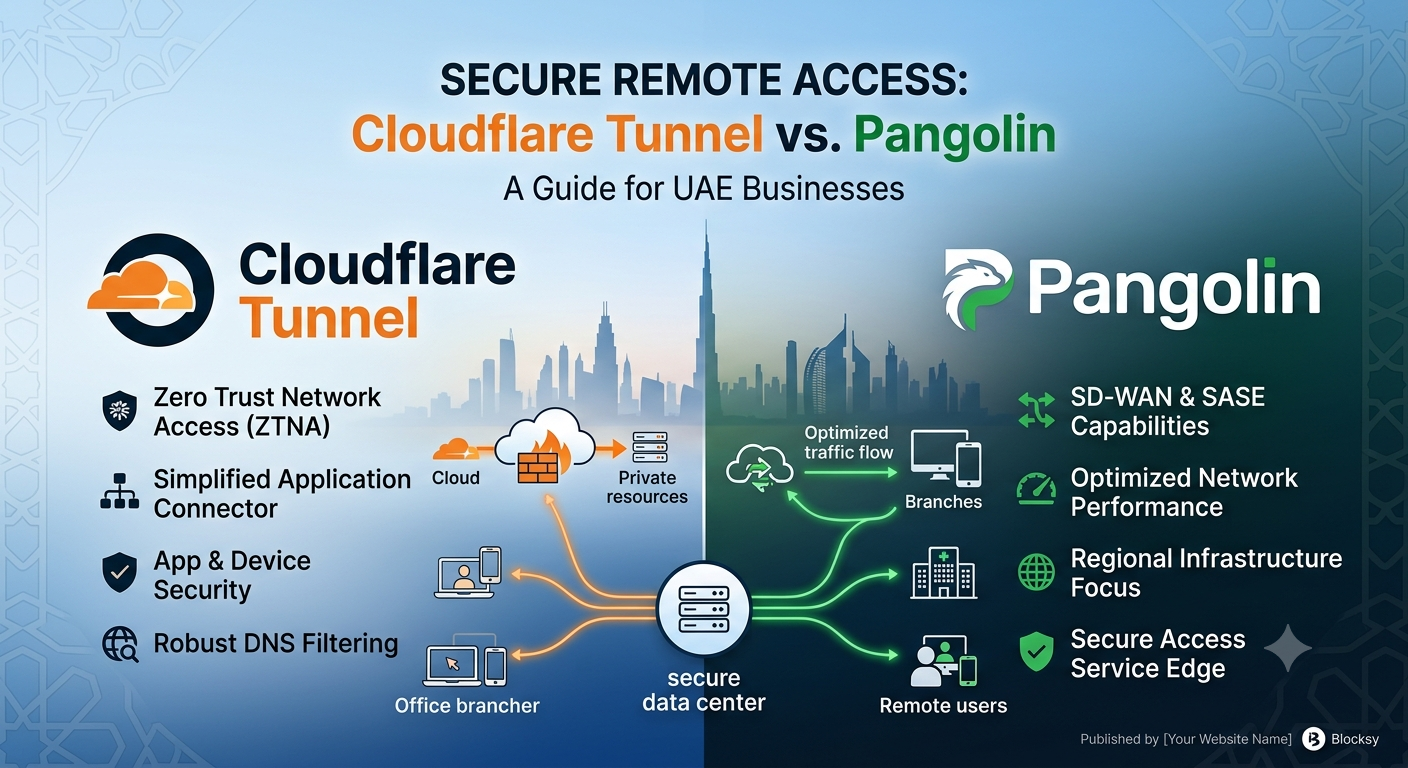
That question is exactly why Pangolin exists. And it’s exactly why Tech Abrahams now deploys both solutions — matching the right tool to the right business.
This post explains what each solution does, how they differ, and which one is the right fit for your situation.
The Problem Both Solutions Solve
Whether you’re running internal business applications, a self-hosted file server, a private dashboard, an API, or any other service behind your office network — getting to that service securely from outside your building is not straightforward by default.
Your server lives behind a router, behind a firewall, on a private IP address. It has no way to be reached from the public internet without either opening inbound ports on your firewall (a significant security risk) or routing traffic through something that bridges the gap.
Both Cloudflare Tunnel and Pangolin solve this problem — but they do it in fundamentally different ways, and with fundamentally different trust models.
Cloudflare Tunnel — Power and Simplicity from the Edge
Cloudflare Tunnel (formerly Argo Tunnel) is a service that creates an outbound encrypted connection from your server to Cloudflare’s global network. Once that connection is established, Cloudflare routes traffic from the public internet to your service — no inbound ports, no firewall changes, no exposed IP address.
Your service gets a public URL. Cloudflare sits in front of it. Traffic flows through Cloudflare’s edge before reaching your server.
What makes it compelling:
- No inbound firewall ports required — the tunnel is outbound only
- Cloudflare’s global edge network means low latency for users anywhere in the world
- Built-in DDoS protection, bot filtering, and Web Application Firewall
- Free for most use cases — up to 50 users on the Zero Trust free tier
- Fast to set up — a working tunnel can be running in under 30 minutes
- Cloudflare Access adds identity-based access control on top, with SSO and MFA support
- Trusted, commercially backed, with enterprise SLAs available
The trade-off:
Every byte of traffic — including your HTTPS content — passes through Cloudflare’s infrastructure. Cloudflare terminates TLS at their edge to apply their security functions, then re-encrypts it to your origin. This means Cloudflare can technically read the content in transit.
For most businesses, this is an acceptable trade-off. Cloudflare’s privacy practices are well regarded, and for public-facing or lower-sensitivity workloads, the protection and convenience they provide far outweigh the concern.
But for businesses handling confidential client data, financial records, legal documents, healthcare information, or any data subject to strict confidentiality requirements — handing that traffic to a third-party network, however reputable, is a decision that deserves careful consideration.
Pangolin — Zero Trust Remote Access You Own Entirely
Pangolin is an open-source, self-hosted remote access platform built on WireGuard. It is the answer to a specific question: what if you could have everything Cloudflare Tunnel offers — secure tunnels, identity-based access, no open ports — but with zero third-party in the data path?
Pangolin combines reverse proxy and VPN access under one platform. Web applications can be reached in the browser with no client required. Databases, SSH, and TCP services use the Pangolin client. Both paths share the same identity and permissions model.
Instead of routing your traffic through Cloudflare’s network, Pangolin routes it through a lightweight server you control — typically a small VPS with a public IP address. Your internal services connect back to that server via encrypted WireGuard tunnels. Your data never touches infrastructure you don’t own.
How it works in practice:
- A small Pangolin server is deployed on a VPS (a low-cost virtual server with a public IP)
- A lightweight connector is installed on your internal network — in your office, on your server, or on any machine with access to the services you want to expose
- That connector creates an outbound WireGuard tunnel to the Pangolin server — no inbound ports opened
- Users authenticate through your identity provider (SSO, MFA) before any access is granted
- Pangolin routes their request through the tunnel to the specific service they’re authorised to reach
Your data travels from your user → your Pangolin server (which you own) → your internal network. No third party involved at any step.
What Pangolin delivers:
- Full open-source stack — you can self-host the entire platform, inspect and modify the code, and run everything on your own infrastructure
- Zero trust access — users are granted access to specific applications, not to your entire network
- Identity-based authentication — integrates with your existing identity provider for SSO and MFA
- Peer-to-peer connections — direct encrypted connections between user devices and your infrastructure for better performance
- No open inbound ports — the connector uses outbound-only tunnels, same as Cloudflare
- Supports web apps, SSH, RDP, databases, and internal APIs — all under one access model
- Over 1,000,000 deployments worldwide, with 21,000 GitHub stars — this is an active, mature, widely trusted project
- Complete data sovereignty — your traffic never leaves infrastructure you control
The trade-off:
Pangolin requires a server to run on. That means a VPS — typically a small, low-cost instance costing a few dollars per month. It also requires professional setup to configure correctly. The infrastructure is yours to manage, which is both the strength and the responsibility.
This is exactly where Tech Abrahams adds value — we handle the deployment, configuration, and ongoing management so you get the benefits of full ownership without the technical burden.
Cloudflare vs Pangolin — Side by Side
| Cloudflare Tunnel | Pangolin | |
|---|---|---|
| Hosting | Cloudflare’s infrastructure | Your own server/VPS |
| Data path | Through Cloudflare’s network | Through your own infrastructure |
| Open inbound ports | Not required | Not required |
| Zero trust access | Yes (Cloudflare Access) | Yes (built-in) |
| Identity / SSO | Yes | Yes |
| MFA | Yes | Yes |
| Web app access | Yes | Yes |
| SSH / RDP / TCP | Via WARP client | Yes — native |
| DDoS / WAF protection | Built-in (Cloudflare edge) | CrowdSec / AppSec / Suricata |
| Data sovereignty | No — traffic via Cloudflare | Yes — fully self-owned |
| Self-hostable | No | Yes |
| Setup complexity | Medium | Moderate (handled by Tech Abrahams) |
| Best for | Speed, simplicity, public-facing | Privacy, sovereignty, sensitive data |
Can You Use Both Together?
Yes — and for some businesses, this is the optimal approach.
Cloudflare Tunnel and Pangolin are not mutually exclusive. You could run Pangolin for sensitive internal tools and keep Cloudflare Tunnels for public-facing services that benefit from Cloudflare’s edge network.
Tech Abrahams deploys hybrid configurations where appropriate — Cloudflare handling public-facing workloads that benefit from its global edge, and Pangolin handling internal, sensitive, or compliance-critical services where data sovereignty is non-negotiable.
Which Is Right for Your UAE Business?
Choose Cloudflare Tunnel if:
- You need to expose public-facing web applications or services quickly
- You want DDoS protection and global performance at the edge
- Your services don’t handle highly sensitive or regulated data
- You want minimal ongoing infrastructure responsibility
- You’re getting started and want a fast, proven, free solution
Choose Pangolin if:
- Your business handles confidential client data, financial records, or regulated information
- You want complete ownership of your access infrastructure — no third party in the data path
- You need zero trust access to SSH, RDP, databases, and internal APIs alongside web apps
- You’re operating in an environment where data sovereignty matters
- You want a fully open-source, auditable, self-hostable platform
- You already have or are willing to have a small VPS for the control plane
Choose both if:
- You have a mix of public-facing and internal sensitive services
- You want Cloudflare’s edge protection for public workloads and full data sovereignty for internal ones
What Tech Abrahams Does for You
Neither solution is difficult for a specialist — but both require correct deployment to be genuinely secure.
A misconfigured Cloudflare Access policy leaves services exposed. A Pangolin server with incorrect firewall rules or weak authentication undermines the entire point of the platform.
Tech Abrahams handles the full deployment for either solution:
For Cloudflare Tunnel: Domain transfer or DNS configuration, tunnel setup, Cloudflare Access policies, SSO and MFA configuration, and integration with your existing identity provider.
For Pangolin: VPS provisioning, Pangolin server installation and hardening, connector deployment on your internal network, identity provider integration, access policy configuration, SSL certificate setup, and documentation. We also handle the ongoing maintenance — software updates, certificate renewals, user onboarding and offboarding.
For hybrid deployments: We architect the full solution — deciding which services go through Cloudflare and which stay on Pangolin — and manage both platforms as a unified access layer.
The Bottom Line
Cloudflare Tunnel is excellent. It’s fast, free, and backed by the world’s most capable edge network. For many workloads and many businesses, it’s the right answer.
But if your business values data sovereignty — if the idea of every internal request passing through a third-party network gives you pause, or if you handle data that demands it — Pangolin gives you everything Cloudflare Tunnel offers, on infrastructure you own entirely.
Both are now part of what Tech Abrahams deploys for UAE businesses. The right choice depends on your requirements, your data, and your risk tolerance. We’ll help you figure out which one that is.
Want to secure remote access to your internal systems — through Cloudflare, Pangolin, or both? Get in touch with Tech Abrahams for a no-obligation consultation. No jargon, no pushy sales. Just straight advice.